|
Hi , How are you doing... If you’ve ever opened a Power Query file and thought, “One small change and this whole thing is going to break”… this video is for you. In this one, I walk through 5 very practical Power Query hacks that make your queries unbreakable. Case mismatches, missing columns, broken expand steps, change type errors, unexpected errors hiding in the data… all the annoying stuff that shows up after your query is “done”. These are the kinds of things you only start caring about once your queries are used again and again, by different people, on changing data. If you want your Power Query work to be more stable, predictable, and less fragile, you should watch this one.
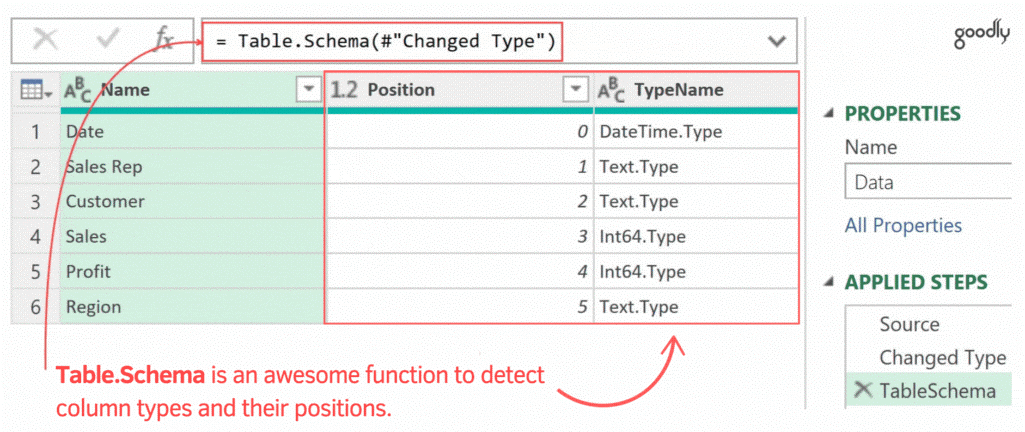
Find Column Metadata with Table.Schema Table.Schema lets you inspect column types and positions instantly.
Before we wrap up the year… A lot of people who follow my work are in the same situation:
You use Power BI. But every few weeks, you still hit a wall with a messy file, a messy model, or a measure you just can’t get right. Most of the time, it’s not effort that’s missing. It’s a structured, connected way to learn – where Power Query, M, Modelling and DAX are taught together, the way real projects actually work. That’s exactly why I built Goodly Insider. I’ve made a short video for you explaining what it is |