The gap between understanding a user journey and visualizing it is usually some
hours of dragging rectangles. While the visual structure of the flow is
necessary, the manual labor is not.
Today, we are removing the friction of diagramming so you can focus entirely on
the strategy.
AI Flowchart
Generation
is LIVE.
You can now go from a simple text prompt to a fully structured process diagram
in seconds.
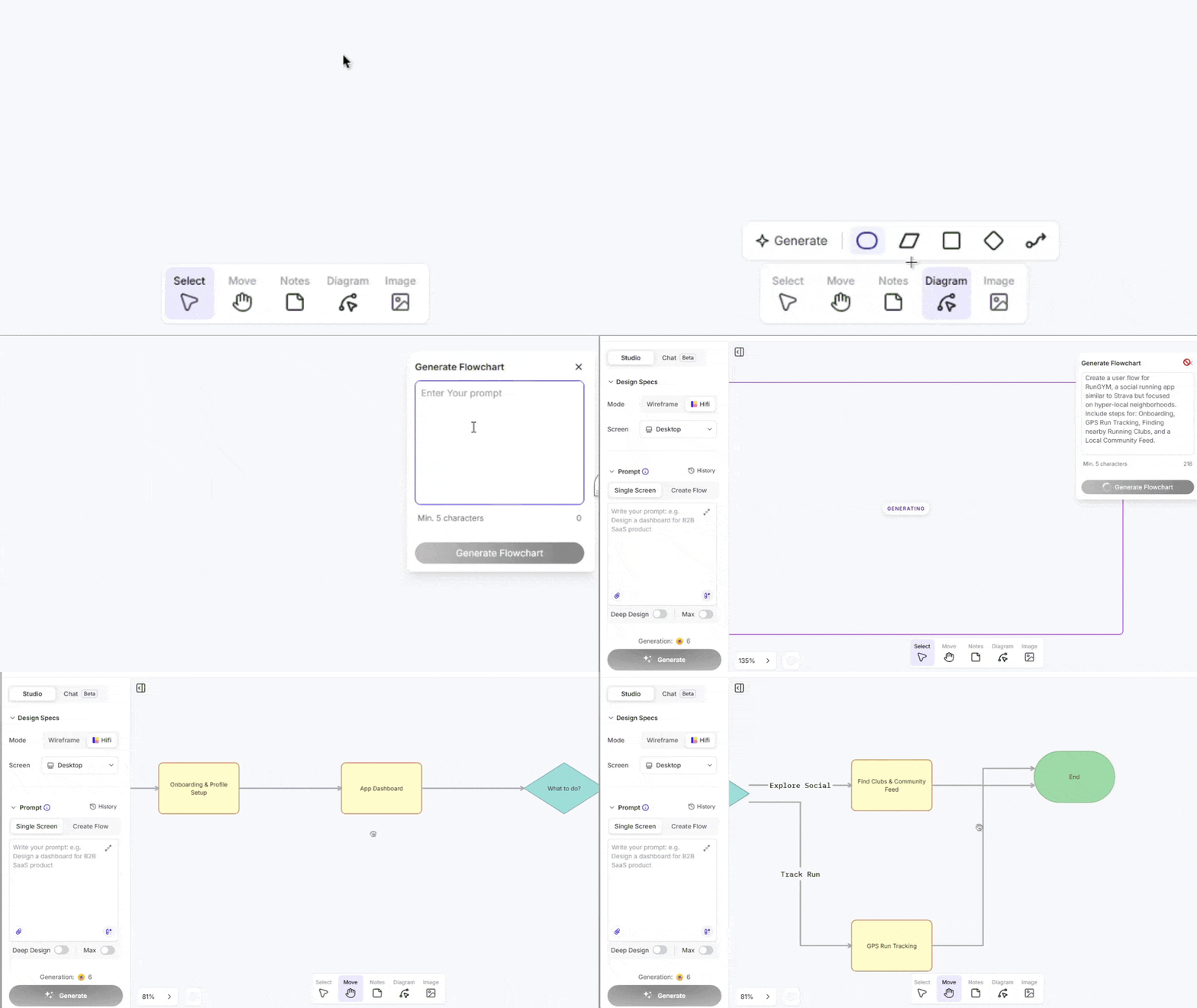
Go to your canva and tap the Diagram icon, hit Generate, and type your process.
UX Pilot AI creates the logic, the nodes, and the connections for you.
Keep Deep Diving &
Iterating
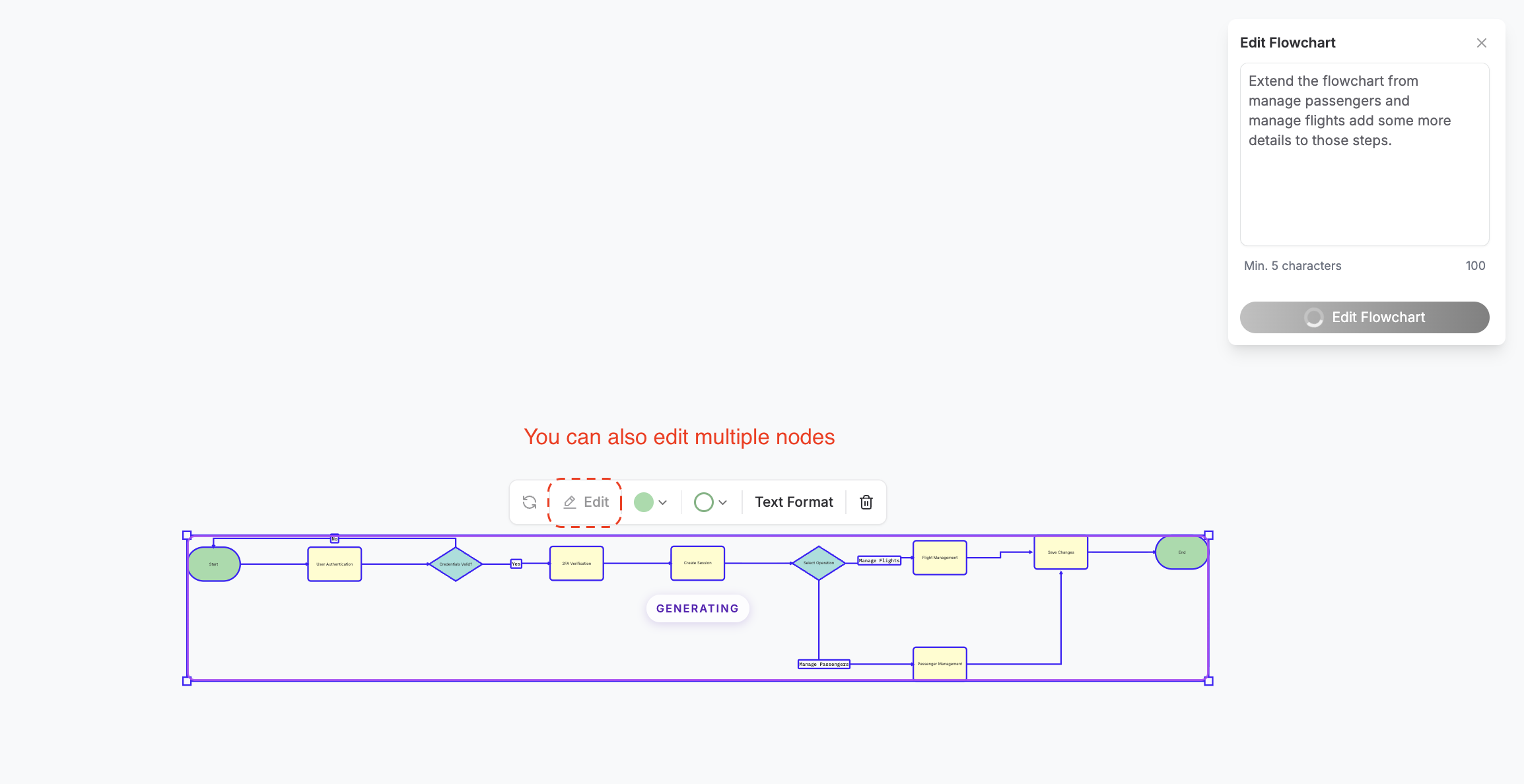
The first generation is just the start. You can now build with AI using the as
you edit it. If you need to refine or just add new details, select all of your
nodes and hit Edit to re-prompt the AI to expand or refine those steps.
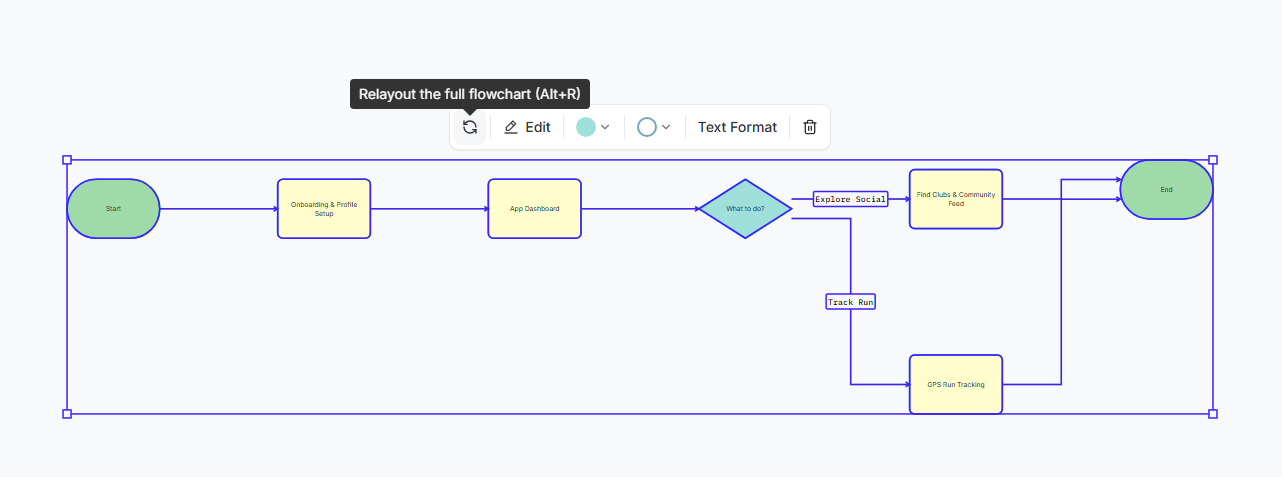
Complex flows often get messy. We
added a Relayout button that instantly untangles your lines and snaps
everything into a professional structure.
With this same sub-toolbar you can also toggle bold, italics, alignment, and
size on the fly, so your diagrams look ready to be presented.
This is just the beginning of our new architecture tools. We are currently
building the bridge between these diagrams and the canvas so we can
have Flowchart → Screen Generation.
Spin up a new project and try generating your first flow today.