|



✂️ Cut your QA cycles down to minutes with QA Wolf (Sponsored)
 |
If slow QA processes bottleneck you or your software engineering team and you’re releasing slower because of it — you need to check out QA Wolf.
QA Wolf’s AI-native service supports web and mobile apps, delivering 80% automated test coverage in weeks and helping teams ship 5x faster by reducing QA cycles to minutes.
QA Wolf takes testing off your plate. They can get you:
Unlimited parallel test runs for mobile and web apps
24-hour maintenance and on-demand test creation
Human-verified bug reports sent directly to your team
Zero flakes guarantee
The benefit? No more manual E2E testing. No more slow QA cycles. No more bugs reaching production.
With QA Wolf, Drata’s team of 80+ engineers achieved 4x more test cases and 86% faster QA cycles.
This week’s system design refresher:
9 AI Concepts Explained in 7 minutes (Youtube video)
The Evolution of AI in Software Development
Git pull vs. git fetch
Agentic Browsers Workflow
[Subscriber Exclusive] Become an AI Engineer - Cohort 4
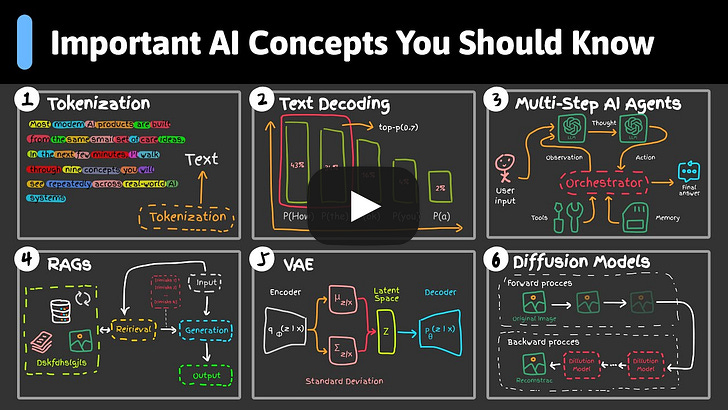
9 AI Concepts Explained in 7 minutes
The Evolution of AI in Software Development
AI has fundamentally changed how engineers code. This shift can be described in three waves.
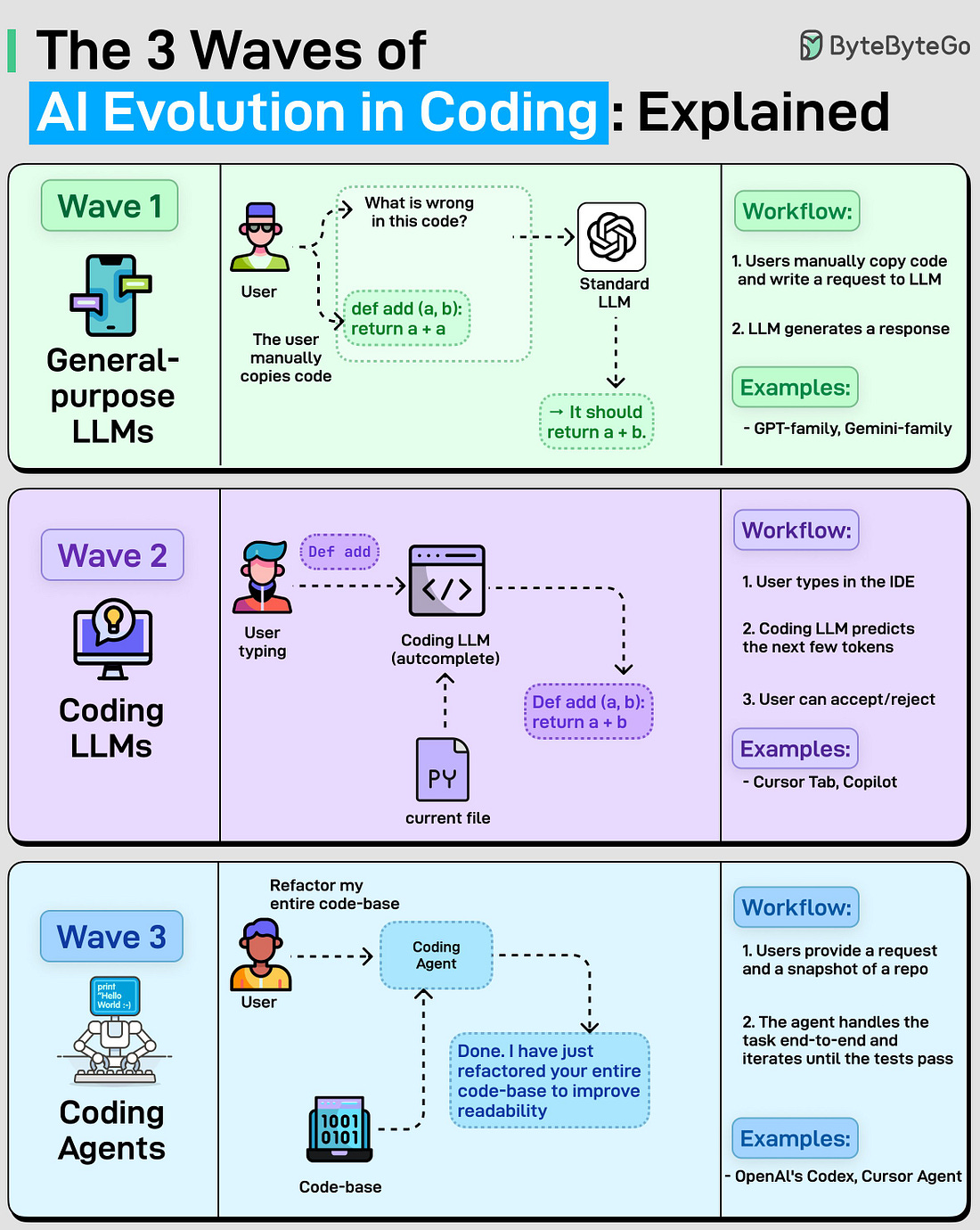 |
General-purpose LLMs (chat assistants)
Treating general-purpose LLMs like a coding partner: you copied code into ChatGPT, asked why it is wrong, and manually applied the fix. This helped engineers move faster, but the workflow was slow and manual.Coding LLMs (autocompletes)
Tools like Copilot and Cursor Tab brought AI into the editor. As you type, a coding model suggests the next few tokens and you accept or reject. It speeds up typing, but it cannot handle repo-level tasks.Coding Agents
Coding agents handle tasks end-to-end. You ask “refactor my code”, and the agent searches the repo, edits multiple files, and iterates until tests pass. This is where most capable tools such as Claude Code and OpenAI’s Codex focus today.
Over to you: What do you think will be the next wave?
Git pull vs. git fetch
If you have ever mixed up “git pull” and “git fetch”, you’re not alone, even experienced developers get these two commands wrong. They sound similar, but under the hood, they behave very differently.
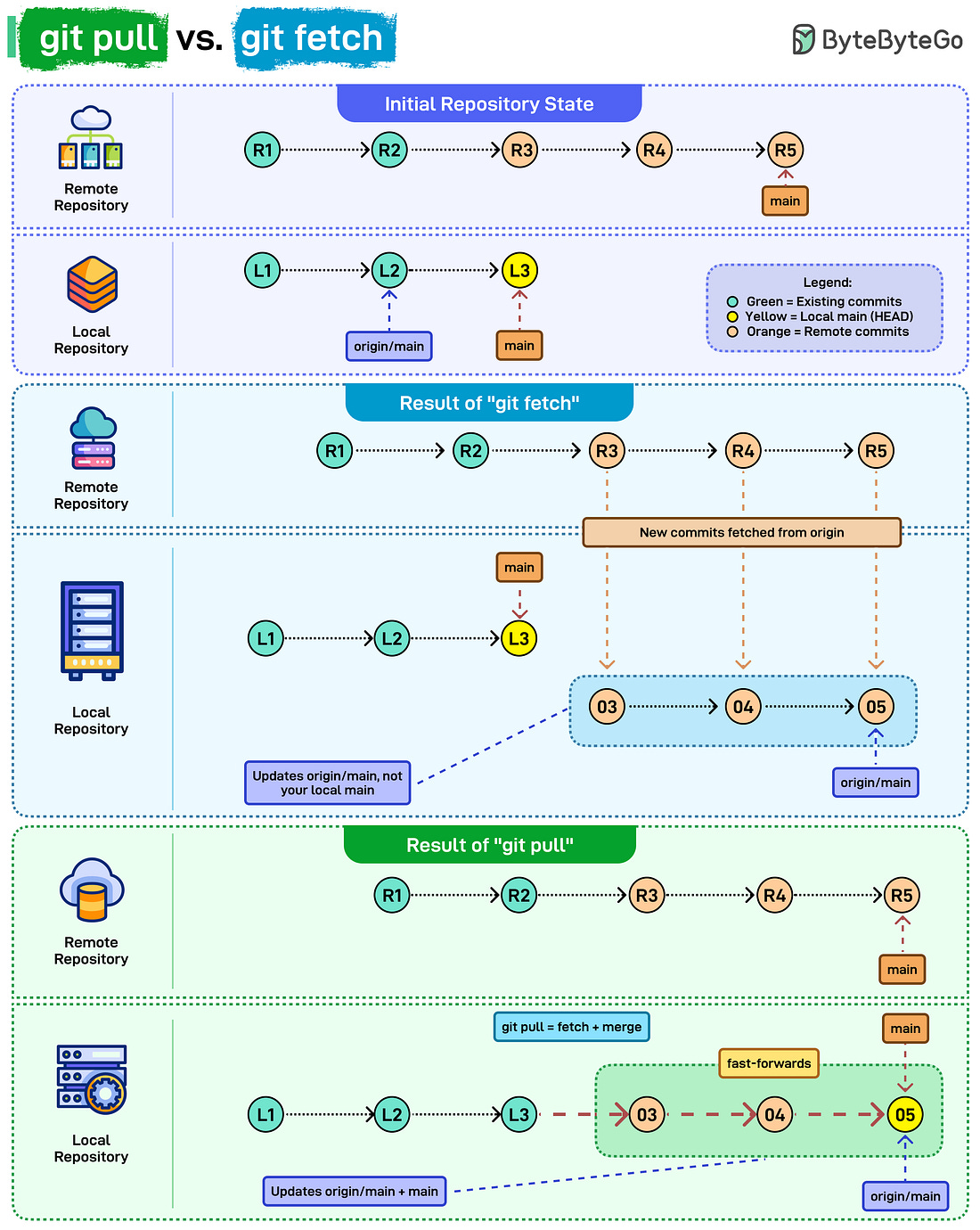 |
Let’s see how each command updates your repository:
Initial state: Your local repo is slightly behind the remote. The remote has new commits (R3, R4, R5), while your local “main” still ends at L3.
What git fetch actually does: git fetch downloads the new commits without touching your working branch. It only updates “origin/main”.