Introducing Quadrant Charts: Two metrics. One clear picture.
Available in Group Dashboard on VALD Hub, Quadrant Charts give you a powerful new way to compare results across a group of profiles by plotting two related metrics on a four‑quadrant graph to help you quickly spot relationships, performance gaps and individuals who need targeted attention.
Whether you are evaluating team-wide trends or identifying outliers for return-to-play, Quadrant Charts allow you to visualize each athlete’s position relative to your chosen benchmarks and turn complex datasets into clear, actionable insights in seconds.
⚙️ Quadrant Charts are available for comparison of ForceDecks, NordBord, ForceFrame, DynaMo and SmartSpeed data.
Key Features
Cross-System Comparison: Combine strength, power and speed metrics across the VALD ecosystem to build a holistic snapshot of athlete performance in one place.
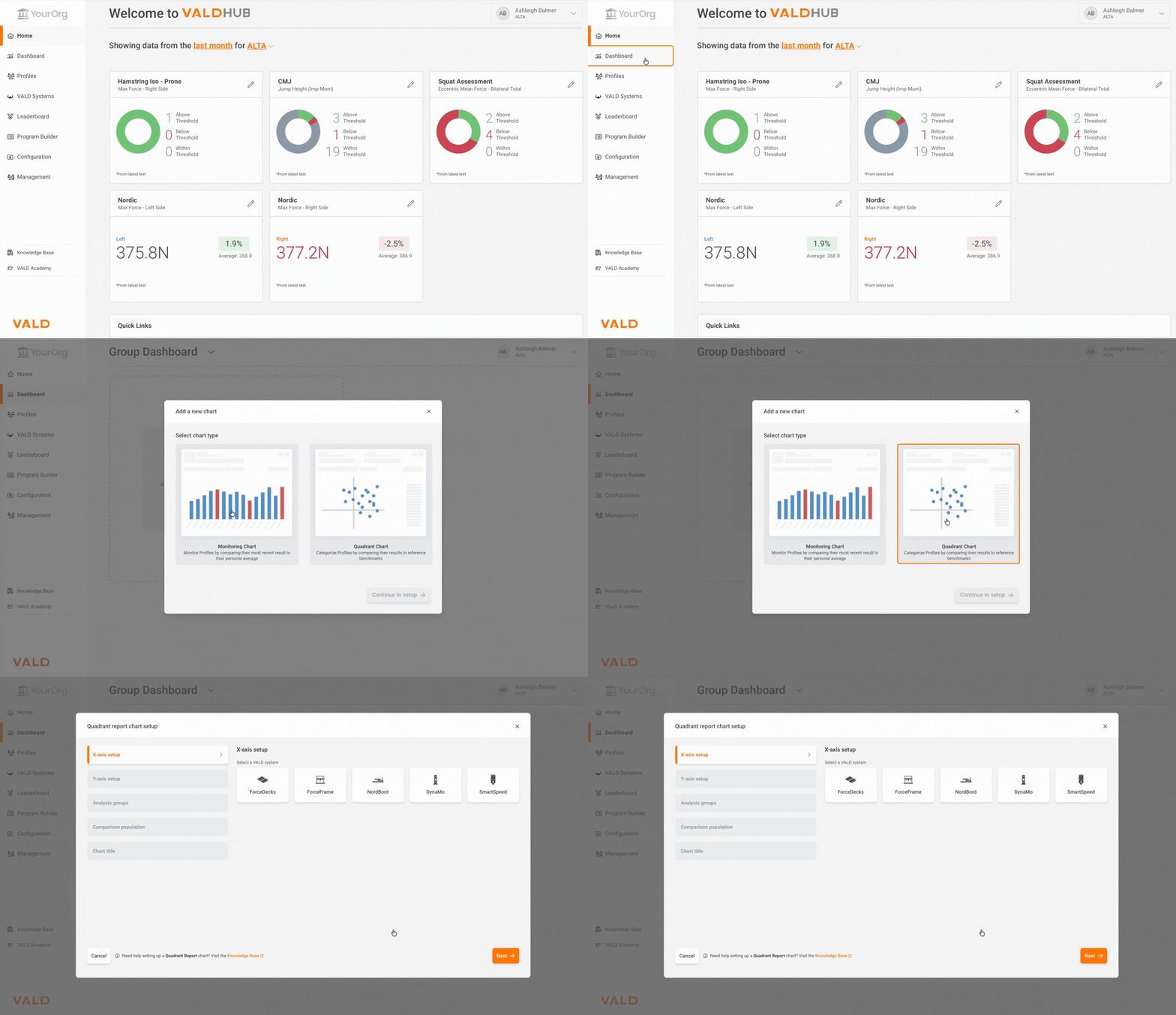
Save Multiple Charts: Create multiple Quadrant or Monitoring charts to save in your Group Dashboard, making it easy to return to key comparisons whenever you need them.
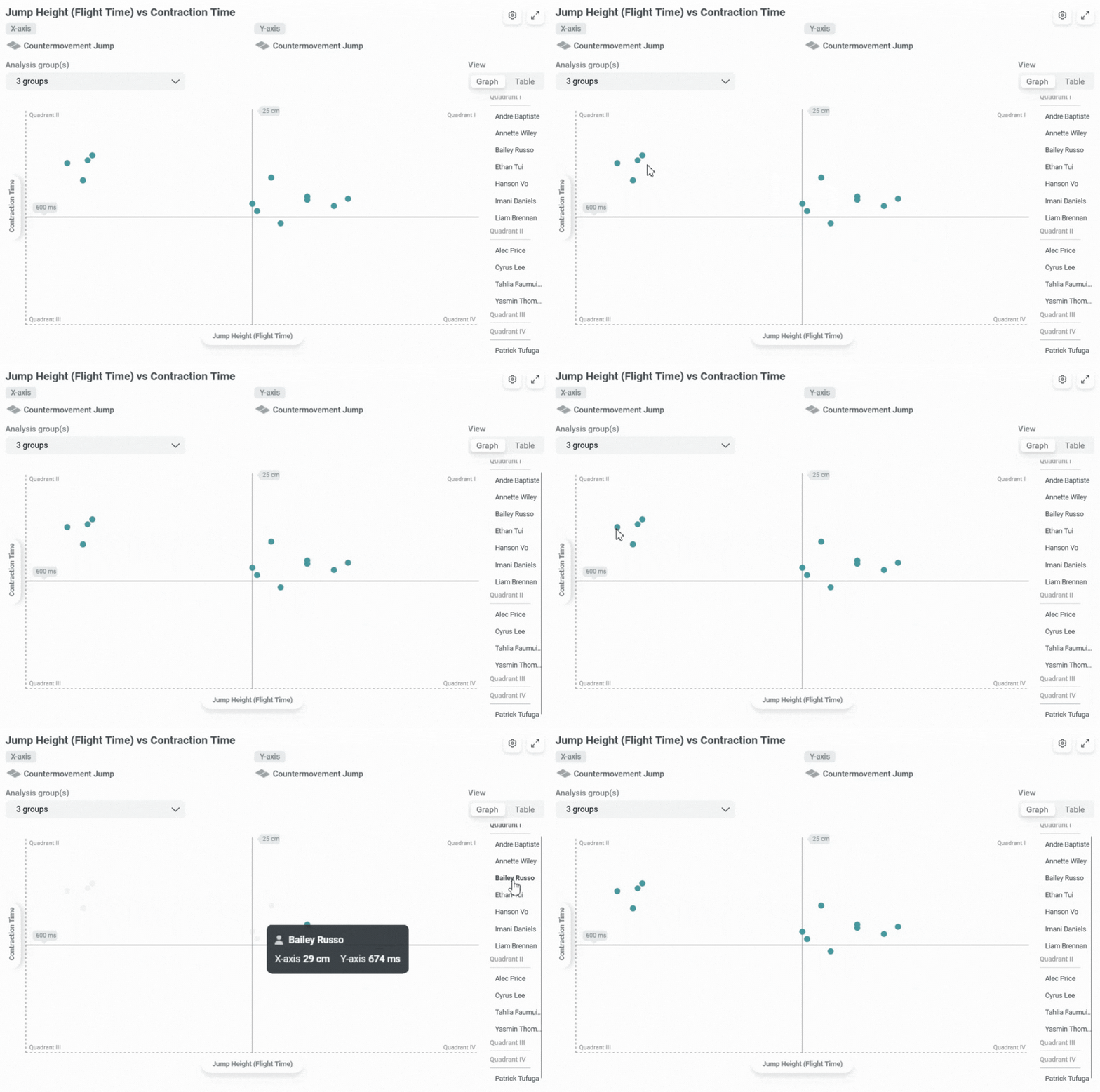
Hover-Over Interactivity: Place your mouse over any data point to see the athlete’s name and their results, or hover over a profile name in the side list to highlight the corresponding dot in the chart.
Manual Benchmarks for Flexibility: Set your own thresholds using normative research, published datasets or external benchmarks to tailor your analysis beyond group averages.
Clear Quadrant Visualization: Each chart displays all athletes relative to your two selected metrics, enabling fast identification of strengths, weaknesses and performance clusters. Results can also be displayed in a table view for added clarity.
For more information on how to create a Quadrant Chart in Group Dashboard, visit the VALD Knowledge Base.