
|



@Sentry in your Slack, fix your bug (Sponsored)
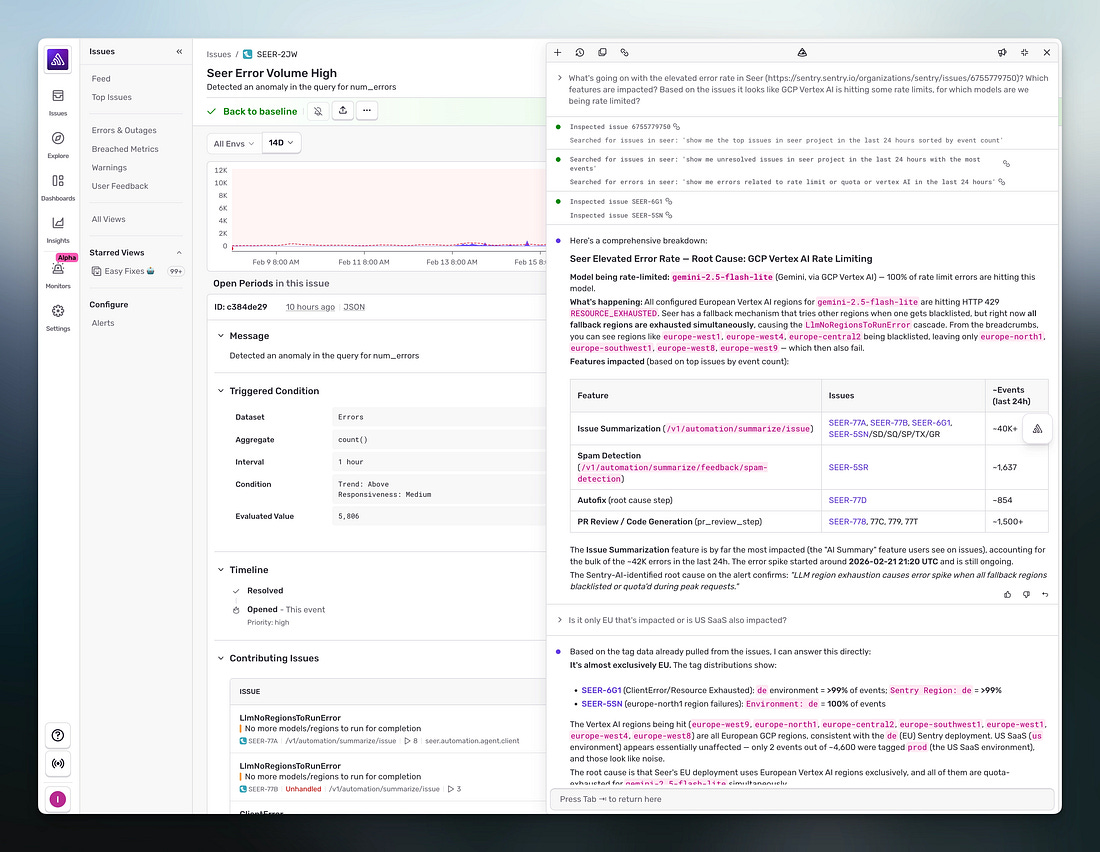 |
Debugging in production means either digging through your telemetry or pasting a stack trace into an LLM that can’t see what actually happened.
Sentry already has that context -- every error, trace, log, replay, and profile from your application. Seer is the AI layer that reasons over all of it to automate debugging.
Next time something’s not quite right, describe what you’re seeing and Seer Agent investigates across your full telemetry to tell you what’s going on and why.
Click ‘Ask Seer’ in Sentry to try it, or mention @Sentry in Slack to start debugging.
LLMs can search the web, pull up your calendar, book reservations, and send emails on your behalf. From the user’s perspective, it seems like typing a request, and the thing just happens.
There is, however, a lot happening underneath to make this work.
The model needs to know which tools are available, how to request them, and what to do with the results. The software surrounding the model needs to figure out what it actually wants, execute it safely, and feed the answer back.
Getting all of this right took several iterations, a couple of failed experiments, and eventually an open protocol that every major AI company is now adopting.
In this article, we will look at this progression that has happened from basic tool use to function calling to the Model Context Protocol, allowing the LLMs to go from isolated text generation tools to assistants that can do interesting stuff for the end users.
Why LLMs Cannot Act on Their Own
To understand why connecting LLMs to external systems is an interesting engineering problem, it helps to understand what an LLM actually does.
At their core, large language models are text-prediction engines. They take text in and produce text out. They are extraordinarily good at this. In fact, so good that the output often looks like real reasoning, but the underlying mechanism is always the same: predict the next token based on everything that came before.
This means an LLM has no built-in ability to call an API, query a database, or perform any action in the real world. Ask it “What’s the weather in Tokyo right now?” and it can give a plausible-sounding answer based on patterns in its training data, but it cannot actually check. It has no network access. It has no way to reach outside the boundaries of its own context window, the finite amount of text it can consider at once.
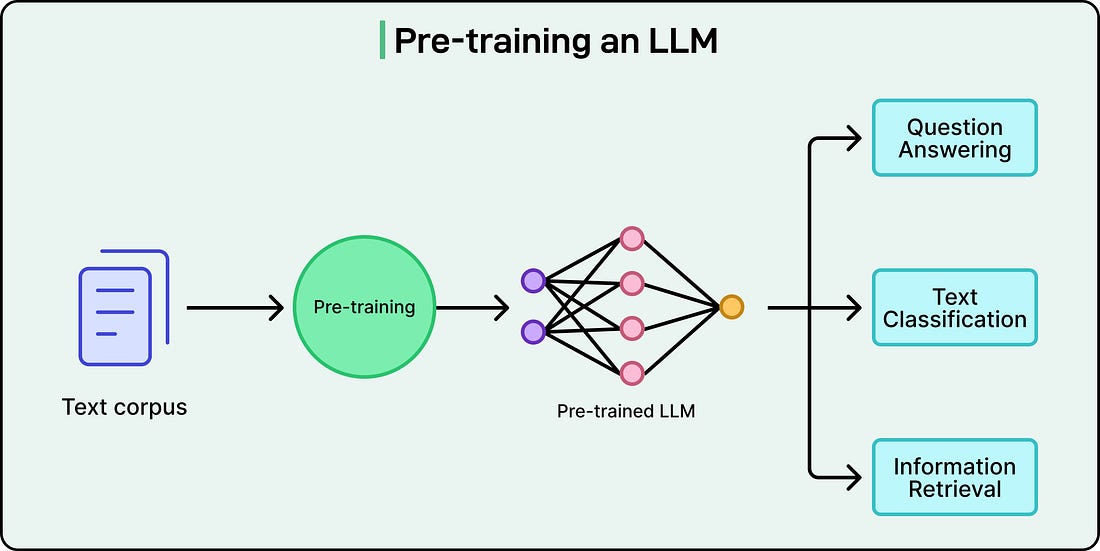 |
This is a direct result of what the technology is at its core. But it creates an obvious question: if LLMs can only generate text, how do applications like ChatGPT, Claude, and Gemini end up doing things like searching the web, sending emails, or pulling data from internal systems?
The answer is that the LLM itself doesn’t perform those actions directly. Each of these products has an application layer, the surrounding software infrastructure, built around the model. That layer lets the model request actions. When ChatGPT searches the web, the model generates a structured request saying “search for X,” and OpenAI’s application infrastructure carries out the actual search and returns the results. The same pattern holds for Claude, Gemini, and any other AI assistant with tool access.
In short, the model reasons about what needs to happen, and the surrounding software makes it happen.
How Tool Use and Function Calling Work
When an LLM-powered application supports tool use, the model receives a menu of available functions alongside each user prompt.
Each function is described with a name, a purpose, and the parameters it accepts, typically defined as a JSON schema (a structured format that specifies what inputs the function expects and what types they should be). When the model encounters a question it cannot answer from its training data alone, it can respond not with a final answer, but with a structured request asking for a specific function to be called with specific arguments.
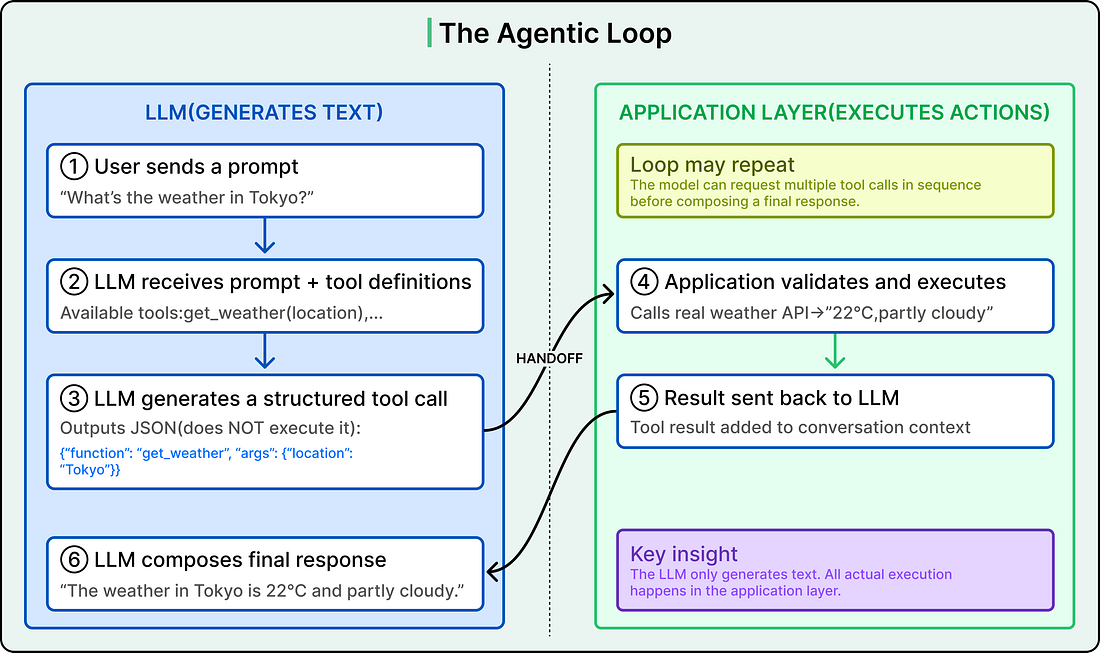
Here are the steps:
The model generates this request as structured text, usually JSON. It does not execute the function itself.
The application layer receives that structured output, validates it, and actually runs the function (hits a weather API, queries a database, sends an email).
It sends the result back to the model as a new message.
The model then uses that result to compose its final response to the user.
For example, a user asks the application, “What’s the weather in Tokyo?”
The model has a tool called get_weather available, which accepts a location parameter. Rather than guessing, the model generates something like {”function”: “get_weather”, “arguments”: {”location”: “Tokyo”}}.
The application layer receives this, calls a real weather API, gets back “22°C, partly cloudy,” and sends that data to the model. The model then responds with a natural language answer grounded in real-time data.
This back-and-forth is called the agentic loop, as shown in the diagram below:
 |